Reviews
Crimson Sphere Puzzle Quest offers a satisfying puzzle experience with its clean design and gradually increasing difficulty. The controls are responsive, and each level feels fresh. It is perfect for casual gaming sessions, providing a calm yet challenging environment. The lack of time limits reduces stress, allowing players to think through each puzzle carefully.
About this game
Game Introduction
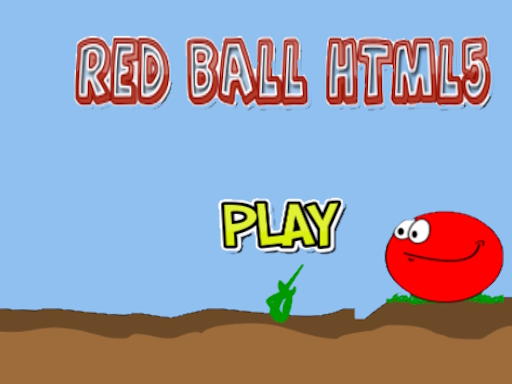
Crimson Sphere Puzzle Quest is an arcade-style puzzle game where players control a red ball through a series of increasingly challenging levels. The main objective is to guide the ball past obstacles, gather collectibles, and reach the exit to progress. Each stage presents a unique spatial puzzle that requires careful observation and timing. The game proves that engaging entertainment does not rely on complex stories or high-end graphics. Its straightforward design and responsive controls make it suitable for players of all ages. The gradual increase in difficulty keeps the experience fresh and rewarding. Many players find satisfaction in solving each puzzle, making it a great choice for both short breaks and extended play sessions.
How to Play
Players typically use keyboard arrows or touch controls to move the red ball through each level. The goal is to navigate around barriers, collect items scattered along the path, and reach the exit point. Early stages introduce basic mechanics, while later levels require more precise timing and strategic planning. There are no downloads needed, so the game runs directly in a web browser. Each level resets if the ball touches a hazard, encouraging players to learn from mistakes and try again. The controls are intuitive and responsive, allowing both new and experienced players to quickly understand the gameplay.
Game Features
Simple controls that are easy to learn and use. Each level offers a distinct puzzle that requires different approaches to solve. The game has high replay value because the puzzles encourage multiple attempts to find the best path. No downloads or installations are required, enabling instant play in any modern browser. The difficulty gradually increases, providing a steady challenge for players of various skill levels. Clean visuals and smooth performance make the game enjoyable on different devices, including desktop computers and mobile tablets.
Tips for Success
Take time to study the layout of each level before moving. Observe the placement of obstacles and items to plan an efficient route. Practice precise timing to avoid hazards and collect items effectively. As puzzles become more complex, patience and careful thinking become important. Replaying earlier levels can help improve your skills and prepare for harder challenges. Stay calm and enjoy the process of solving each unique puzzle.
Compatibility
• OS: Windows 10+, macOS 11+, iOS 14+, Android 10+
• Browsers: Chrome 100+, Safari 15+, Edge 100+, Firefox 100+
• Not compatible with Internet Explorer
Tested on real devices ✅ works as expected
Faq
Can I play Crimson Sphere Puzzle Quest on my mobile phone?
Yes, the game is designed to work in modern web browsers on both desktop and mobile devices. Touch controls are supported, so you can play on smartphones and tablets without any issues.
Is there a time limit for completing each level?
No, there is no time limit. You can take as long as you need to study the level and plan your moves. This makes the game relaxing and suitable for players who prefer a thoughtful pace.
Does the game have any in-app purchases or ads?
The game is free to play with no downloads required. It may include advertisements, but there are no in-app purchases or real money transactions. All content is accessible without payment.
How many levels are available in Crimson Sphere Puzzle Quest?
The exact number of levels is not specified, but the game features a series of puzzles that increase in difficulty. Players can expect many stages to work through, providing hours of entertainment.
Can I save my progress and continue later?
Progress is typically saved automatically in your browser's local storage. If you close the game and return later, you can continue from where you left off, as long as you use the same device and browser.
Is there a leaderboard or way to compare scores with friends?
The game does not appear to include a leaderboard or social sharing features. It focuses on individual puzzle-solving enjoyment without competitive elements, making it a personal challenge.